Discover the factors that make industrial LCD touch screens essential, from touch technology to durability and connectivity.
Industrial LCD touch screens have revolutionized how we interact with machines in manufacturing, automation, and other demanding fields. These robust displays withstand harsh conditions, delivering exceptional performance in extreme environments. But what exactly makes one industrial touch screen better than another? This guide delves deep into the key considerations for choosing the best industrial LCD touch screen for your needs.
Why Are Industrial LCD Touch Screens Essential in Modern Industries?
Industrial LCD touch screens play a crucial role in streamlining operations. Unlike consumer-grade displays, these specialized screens are built for durability, precision, and adaptability in environments that demand reliability.
- Durable Construction: Designed to resist wear and tear, industrial touch screens thrive in rugged conditions such as manufacturing plants, outdoor kiosks, and chemical facilities.
- User-Friendly Interface: They offer intuitive interaction, reducing training time and boosting efficiency.
- Application Flexibility: From healthcare to logistics, their versatility makes them a cornerstone of modern automation systems.
Table of Contents
- What Are the Main Types of Touch Technology?
- How to Choose the Right Size and Resolution?
- What Features Make a Screen Industrial-Grade?
- What Are the Best Mounting and Installation Options?
- Why Is Connectivity Crucial in Industrial Touch Screens?
- Wrapping Up: How to Choose the Perfect Industrial LCD Touch Screen?
What Are the Main Types of Touch Technology?
Introduction to Touch Technologies
Touch technology lies at the heart of every industrial LCD touch screen. Choosing the right technology impacts functionality, usability, and longevity.
Types of Touch Technologies:
-
Resistive Touch:
- Responds to pressure, making it compatible with gloves and styluses.
- Durable but less sensitive compared to other technologies.
- Ideal for applications requiring precision input.
-
Capacitive Touch:
- Detects touch using the electrical conductivity of your skin.
- Supports multi-touch and gesture controls.
- Popular in environments demanding responsive and intuitive interfaces.
-
Infrared and Optical Touch:
- Uses light beams for detecting touch.
- Known for high durability and clarity, as no overlay is required.
- Best for large-format screens.
Choose the touch technology that matches your application’s environmental and operational requirements.
How to Choose the Right Size and Resolution?
Why Do Size and Resolution Matter?
The size and resolution of your touch screen determine how effectively users interact with the interface.
Key Considerations:
-
Screen Size: Ranges from 7 to 43 inches, tailored for specific applications.
- Small screens (7-12 inches): Compact and suitable for tight spaces.
- Large screens (above 21 inches): Ideal for displaying detailed dashboards.
-
Resolution: Higher resolutions enhance clarity and readability.
- Examples: Full HD (1920x1080) for control panels, 4K (3840x2160) for high-detail visualization.
Pro Tip: Combine appropriate screen size with optimal resolution for the best balance between usability and detail.
Always match screen size and resolution to the operational needs and viewing distances of your application.
What Features Make a Screen Industrial-Grade?
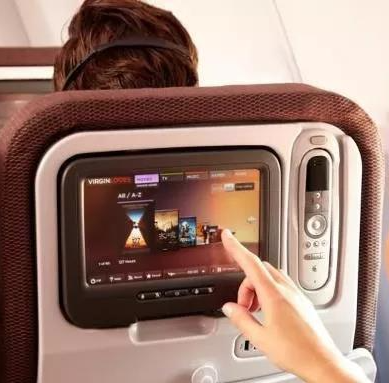
Essential Features for Industrial Use
Industrial environments are demanding, and your screen must be equally resilient.
-
Rugged Housing:
- Protects against moisture, dust, and extreme temperatures.
- Materials: Aluminum, stainless steel, or plastic with IP65+ ratings.
-
Wide Temperature Range:
- Operates reliably in temperatures as low as -20°C and as high as 70°C.
- Critical for outdoor and freezer applications.
-
Anti-Glare Coatings:
- Enhances visibility in bright or outdoor conditions.
-
Shock and Vibration Resistance:
- Designed to withstand constant mechanical stress.
Prioritize features like rugged housings and wide temperature ranges to ensure durability.
What Are the Best Mounting and Installation Options?
Mounting Methods
Industrial touch screens need versatile mounting options for different setups:
- Panel Mounting: Seamlessly integrates into existing control panels.
- VESA Mounting: Offers flexibility with standard brackets.
- Rack Mounting: Secures screens in server racks for centralized control.
Installation Tips:
- Evaluate installation space and choose the mounting method accordingly.
- Ensure proper cable management for safety and aesthetics.
Flexible mounting options enhance adaptability and ease of installation.
Why Is Connectivity Crucial in Industrial Touch Screens?
Understanding Connectivity Requirements
Industrial systems often rely on diverse hardware and software integrations. Connectivity ensures seamless communication between devices.
Common Interfaces:
- USB and HDMI: Popular for plug-and-play functionality.
- RS232 and RS485: Essential for legacy systems.
- Ethernet and Wireless Options: Ideal for IoT-enabled environments.
Compatibility Checklist:
- Verify that the screen supports your operating system (Windows, Linux, etc.).
- Check for driver support to avoid integration issues.
Strong connectivity options future-proof your system for scalability and integration.
Wrapping Up: How to Choose the Perfect Industrial LCD Touch Screen?
Selecting the right industrial LCD touch screen involves a balance of size, resolution, touch technology, and durability features. By understanding your operational needs and evaluating products against these criteria, you can ensure maximum efficiency and reliability.
External Links

